
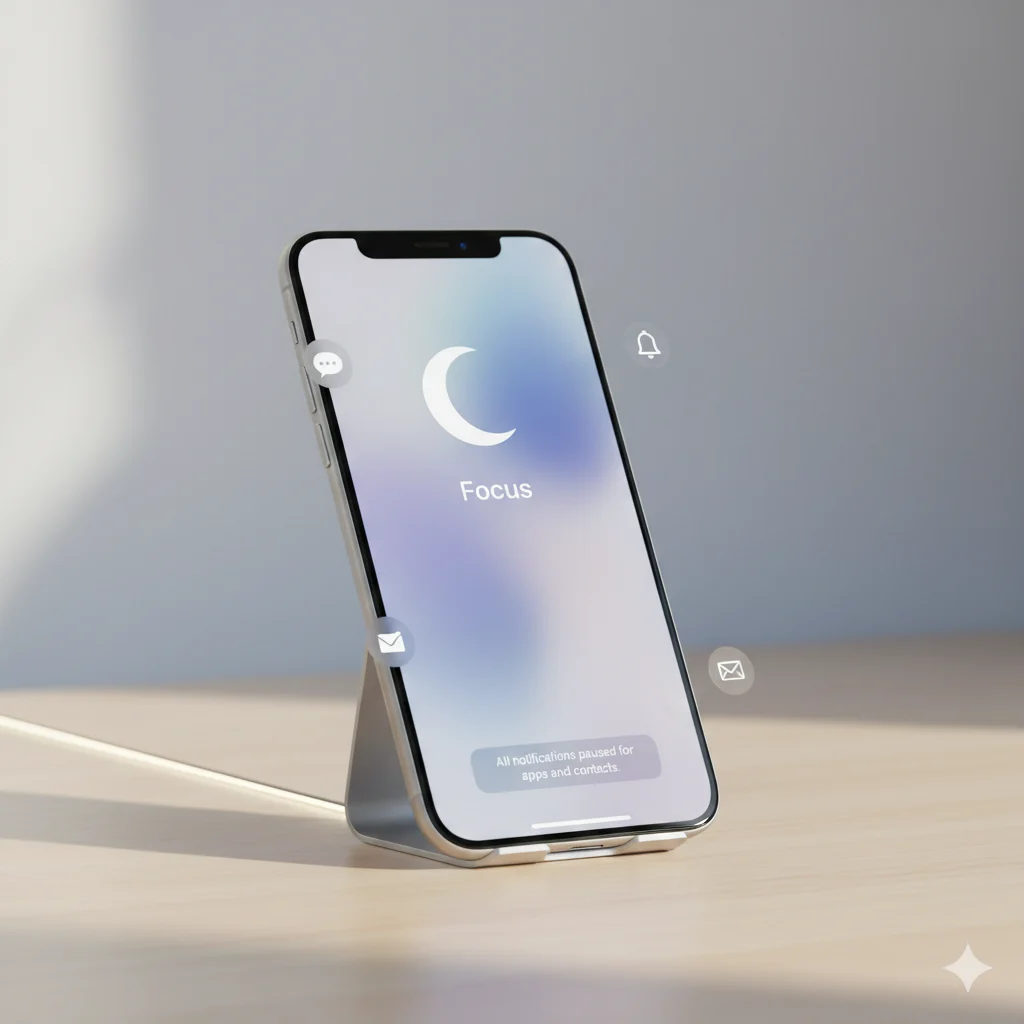
If you’ve ever opened your iPhone settings and spotted something called “Focus”, you’re not alone. The first time most people see it—usually after a software update—it feels confusing. You tap it, and suddenly there are modes like Do Not Disturb, Sleep, Work, and Personal. What does all this mean? Is it just Do Not Disturb with a fancy name? Is it blocking calls? Is it hiding notifications? 😅
Trust me, we’ve all been there.
Apple introduced Focus to help users stay distraction-free in a world where notifications pop up every second. Instead of just muting everything, Focus lets you customize what matters, when it matters.
Focus on iPhone is a customizable mode that filters notifications, calls, and distractions so you can concentrate. It helps you stay organized by allowing only selected apps and people to reach you.
🧠What Does Focus Mean on iPhone?
Focus is an Apple feature that helps you control notifications, calls, and app alerts based on what you’re doing. It was introduced to replace and expand Do Not Disturb.
With Focus, you can:
- Block distractions
- Allow specific people or apps
- Automate quiet time
- Sync focus settings across all Apple devices
- Customize screens & home pages
- Hide notifications temporarily
Example:
If you activate Work Focus, only emails and work-related apps can notify you. Social media and personal calls stay silent until you turn it off.
In short:
Focus = Notification filter = Fewer distractions.
📱 Where Is Focus Mode Commonly Used?
Focus mode shows up all over the iPhone.
Here are the most popular places:
- 🔔 Control Center – Long-press the Focus icon
- ⚙️ Settings → Focus
- 🛌 Sleep Tracking
- 💼 Work Mode
- 🧘 Personal Time
- 📵 Do Not Disturb
- 🎮 Gaming Mode
- 🚗 Driving Mode
- 🎓 School Mode
Type:
- Casual? ✔️
- Formal? ✔️
- Highly practical? ✔️
- Social-media friendly? Not exactly — it’s more about reducing social media distractions.
💬 Examples of Focus Mode in Conversations
Here are real-life chat examples using “Focus mode” naturally:
1
A: why didn’t you reply?
B: sorry i was on focus mode 😅
2
A: call me when you’re free
B: sure, i’m in work focus rn
3
A: wanna play?
B: can’t bro, gaming focus is on 🎮
4
A: girl i texted you like 3 times
B: omg i had sleep focus on 😭
5
A: facetime?
B: give me 10, i’m in do not disturb focus
6
A: why are your notifications off?
B: i keep my personal focus on at night 😌
7
A: you disappeared??
B: focus mode had me silent fr 😂
🕓 When to Use and When NOT to Use Focus
✅ When to Use Focus
- When studying
- During work hours
- While driving
- When sleeping
- During meditation
- When you don’t want social media distractions
- In meetings
- While recording or streaming
❌ When NOT to Use Focus
- When waiting for an important call
- During emergencies
- When coordinating live events
- When you need instant communication
- If you often forget to turn it off
Comparison Table
| Context | Example Phrase | Why It Works |
|---|---|---|
| Friend Chat | “I’ll be in focus mode 😄” | Casual & friendly |
| Work Chat | “Activating work focus now.” | Professional & clear |
| “I’ll be in Do Not Disturb.” | Formal and easy to understand | |
| School | “Using study focus rn 📚” | Keeps distractions away |
| Driving | “Driving focus will auto reply” | Safety & automation |
🔒 Types of Focus Modes on iPhone
Apple offers multiple built-in options:
1. Do Not Disturb
Silences all alerts unless exceptions are allowed.
2. Personal
Silences work-related apps and focuses on personal time.
3. Work
Allows only work apps and contacts.
4. Sleep
Blocks everything except emergencies.
5. Driving
Auto-replies to texts and blocks notifications.
6. Fitness
Ideal for workouts without interruptions.
7. Gaming
Silences distractions during games.
8. Reading
Keeps your reading peaceful.
9. Mindfulness
For meditation sessions using Apple Health.
10. Custom Focus
Create your own mode for anything — gym, studying, prayer, content creation, etc.
📳 How to Turn On Focus Mode (Step-by-Step)
From Control Center:
- Swipe down
- Tap Focus
- Choose a mode
From Settings:
- Go to Settings
- Tap Focus
- Select a Focus
- Customize as needed
Automation:
Focus can auto-activate by:
- Location
- Time
- App usage
- Smart activation
- Car Bluetooth
📵What Happens to Calls & Messages in Focus Mode?
When Focus is ON:
- Calls are silenced
- Messages are muted
- Notifications appear later
- Repeated calls can bypass if enabled
- Favorite contacts can still alert you
You can choose:
- Who can call
- Who can text
- Which apps can notify
- Whether your status is shown to others
🟣 Focus Status — What Others See
When you turn on Focus, people texting you might see:
“B has notifications silenced.”
This lets them know you’re busy without fully blocking them.
You can choose to hide or show this.
🔄Similar iPhone Features to Focus Mode
Here’s a comparison with similar tools:
| Feature | Meaning | When to Use |
|---|---|---|
| Do Not Disturb | Full silence | Meetings, sleep |
| Airplane Mode | Cuts all signals | Flights, saving battery |
| Silent Mode | No sound | Quick mute |
| Screen Time | Tracks usage | Limiting apps |
| Low Power Mode | Saves battery | Low battery situations |
| Notifications Summary | Collects alerts | Avoid spam notifications |
❓FAQs About Focus Mode on iPhone
1. Does Focus block calls?
Yes, unless you allow specific contacts.
2. Can people still message me?
Yes, but notifications are silent.
3. Does Focus mode turn off automatically?
Only if automation is set.
4. Does Focus work on iPad and Mac?
Yes, it syncs across all Apple devices.
5. Can I customize Focus modes?
Absolutely — you can personalize everything.
6. Can Focus hide apps?
Yes, you can create custom Home Screens.
7. Does Focus improve battery life?
Indirectly — fewer notifications means fewer screen wake-ups.
📌 Conclusion
Focus mode is one of the smartest iPhone features Apple has introduced. Instead of overwhelming you with constant alerts, it gives you control. Whether you’re studying, relaxing, working, or sleeping, Focus helps you stay distraction-free and more productive.
If you’ve ever wondered “What does Focus mean on iPhone?”, now you know it’s a powerful tool that filters out the noise so you can concentrate on what truly matters.

Freya Huge is a digital writer and content strategist known for her clear, relatable explainers on modern slang, online culture, and everyday communication. She blends creativity with research to help readers understand trends and express themselves confidently.