
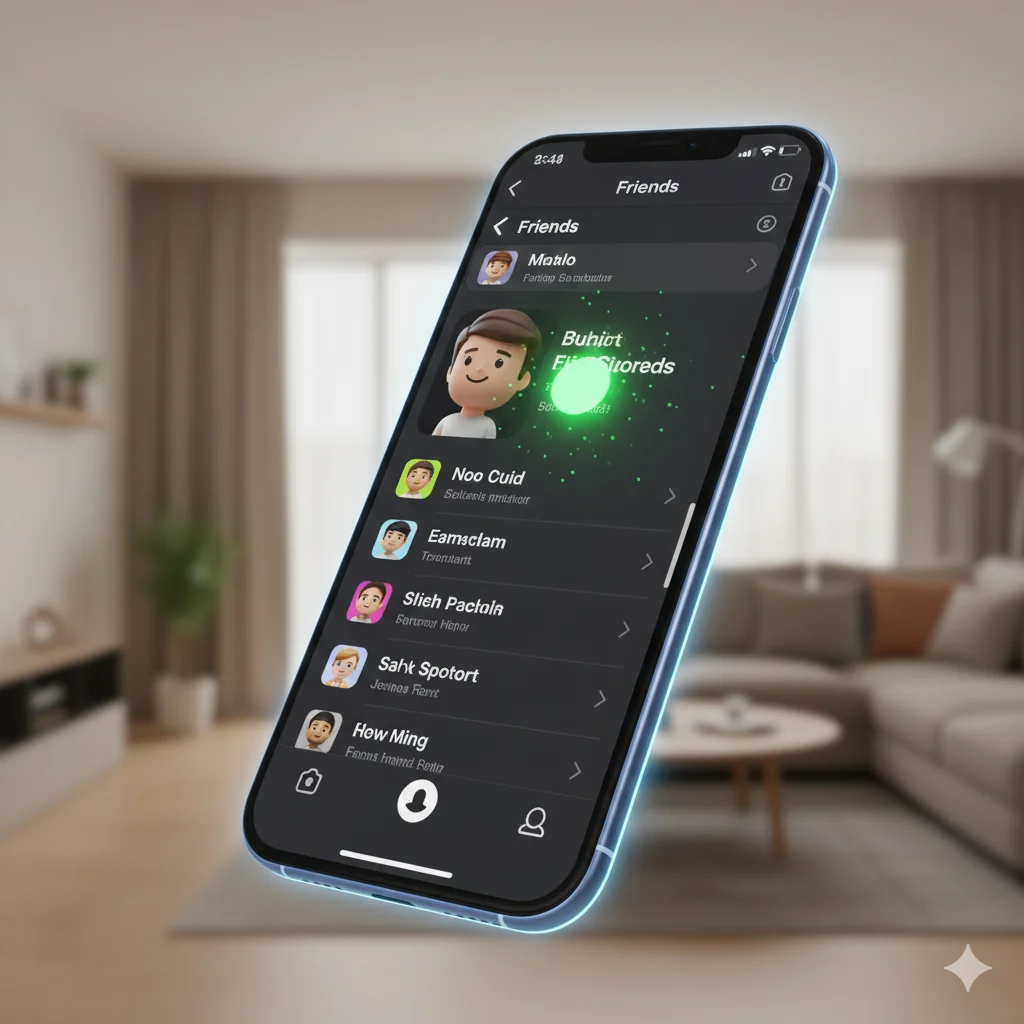
The little green dot on Snapchat means that person is currently active in the app at that exact moment. It’s a real-time “Active Now” status indicator, showing they are online and using Snapchat. It appears next to their name on your Chat and Friends screens.
Remember that time you opened your Snapchat chat list and noticed a tiny, mysterious green dot next to your best friend’s name? You immediately sent a “👀” snap, expecting a quick reply, but… radio silence. Or maybe you’ve felt a flutter of anxiety when you saw it appear next to that person’s name, wondering if they were scrolling past your story. That little green dot, while seemingly insignificant, has sparked more curiosity, confusion, and even drama than almost any other Snapchat feature. Is someone ignoring you? Are they secretly online? In the fast-paced world of snaps and streaks, these tiny indicators carry big weight. Don’t worry, you’re not alone in wondering. Let’s dive deep and decode exactly what the Snapchat green dot means, how it works, how to control it, and the unspoken social rules that come with it.
🧠 What Does the Little Green Dot Mean on Snapchat?
The little green dot on Snapchat is officially called an “Active Status” indicator. In the simplest terms, it’s a small, filled-in green circle that appears next to a friend’s name on your Chat screen or Friends list. When you see it, it means that friend has the Snapchat app open and is actively using it right now. They could be chatting, watching Stories, posting to their own Story, or simply browsing—but the app is active and in the foreground on their device.
It’s Snapchat’s version of a real-time “Online” light. Think of it like the green “Active Now” badge on Facebook Messenger or the green circle on Instagram Direct Messages. It’s designed to show immediate availability.
Example:
You open your Chat list and see:
Alex 🟢
That means Alex is currently in the Snapchat app.
In short: Little Green Dot = Active Now Status = The user is currently online and active in Snapchat.
📱 Where Do You See the Green Dot on Snapchat?
The green dot appears in a couple of key places within the app. Knowing where to look helps you understand the context.
- Primary Location: The Chat Screen. This is where you’ll see it most often. Open your Chat list (by swiping right from the Camera screen or tapping the speech bubble icon), and look to the left of your friends’ names and Bitmojis. The green dot will appear right there.
- Secondary Location: The Friends List. Go to your profile, tap “My Friends,” and scroll. The green dot can also appear here next to friends’ names.
- What It Doesn’t Show: The green dot does not appear on the Snap Map (that uses a different location indicator). It also doesn’t show specifically what the person is doing (e.g., watching your Story), only that the app is open.
It is, by nature, a casual, social-media–friendly feature. It’s not formal in any way—it’s a tool for instant, informal communication within the app’s ecosystem.
💬 How the Green Dot Works: The Technical & Social Rules
Understanding the mechanics and the unspoken etiquette can save you from social snafus.
The Technical Side: When Does It Appear & Disappear?
- Appears: The moment a user opens the Snapchat app and it becomes the active app on their screen.
- Disappears: Shortly after the user closes the app or switches to another app. It’s not instant; there’s usually a short delay (a minute or so) to account for briefly switching to check a notification.
- Important Note: Having notifications enabled for Snapchat does NOT trigger the green dot. The dot only lights up when the app itself is actively open.
The Social Etiquette: The Unspoken Rules
The green dot creates a layer of perceived availability. Here’s what people often think:
- “They’re online, they can reply.” This can lead to expectations of immediate responses.
- “Are they ignoring me?” If you see the dot but get no reply to your message, it can feel intentional.
- Context Matters: Seeing it next to a close friend might mean “perfect time to start a streak snap.” Seeing it next to someone you just started talking to might feel more high-stakes.
💬 Real Conversation Scenarios Involving the Green Dot
Let’s look at how the green dot plays out in real chats.
- Planning in Real-Time:
A: [Sees friend has green dot] “hey you’re online! quick, which movie should we see tonight?”
B: “lol caught me. def the new marvel one 🍿” - The “I Saw You Online” Nudge:
A: “just sent you that meme 👀”
B: “haha saw the green dot huh? just opened it to check streaks!” - Avoiding Awkwardness:
A: [Sends a snap, sees friend’s green dot appear and disappear a minute later with no reply.]
A: (Thinks) “They probably just checked notifications and closed it. No big deal.” - The Flirty Timing:
A: [Waits until they see the green dot next to their crush’s name.]
A: “loved your story today 😄” - Streak Preservation:
A: “omg it’s 11:58 PM and I forgot our streak! [Opens app, sees friend has green dot.] phew you’re here! [Sends streak snap.]“
✅ When to Use the Green Dot as a Signal (And When to Ignore It)
✅ When to Use the Green Dot Cue:
- To start a casual, real-time conversation with a close friend.
- To send a time-sensitive message (like a last-minute streak snap) when you know they’re in the app.
- As a gentle indicator that someone is likely available to reply (but not a guarantee!).
❌ When NOT to Rely On or Overthink the Green Dot:
- As proof someone is ignoring you. They could be quickly checking Stories, managing notifications, or their app might be open in the background.
- To monitor someone’s activity obsessively. This isn’t healthy for any relationship.
- To assume what they are doing. Green dot ≠ “looking at my profile.”
- In formal or urgent communication. Always use a call or direct text message for true emergencies.
Context Table for the Green Dot
| Context | How to Interpret the Green Dot | Why It Works (or Doesn’t) |
|---|---|---|
| Close Friend Chat | “Perfect, they’re online to plan tonight!” | Casual & assumes mutual availability for quick chat. |
| New Romantic Interest | “They’re active. Should I message now?” | Can create unnecessary pressure. It’s better to message when you naturally want to. |
| Group Project Planning | Unreliable for urgent asks. | Someone may be active but distracted. Use dedicated group chats for important info. |
| Seeing it After No Reply | Likely not personal—they were just browsing. | The app is for many activities, not just replying to chats. |
🔄 Snapchat Status Indicators: Green Dot vs. Other Icons
The green dot isn’t the only status icon on Snapchat. Here’s a quick table to tell them all apart.
| Icon | What It Means | Where You See It |
|---|---|---|
| 🟢 Solid Green Dot | Active Now – The user is currently in the app. | Next to name on Chat/Friends list. |
| ⏺️ Grey Circle / Moon | Inactive – The user is not currently active in the app. | Next to name on Chat/Friends list (when Ghost Mode is off). |
| 👻 Grey Ghost Icon | Ghost Mode On – The user has turned off location sharing on Snap Map. You cannot see their location, and they may not have an active status. | On the Snap Map where their Bitmoji would be. |
| 🎯 Blue Circle (Arrow) | Pending Snap Sent – You have sent a snap to this person that they haven’t opened yet. | Next to the conversation in Chat. |
| 🔴 Red Square (Arrow) | Pending Chat Message Sent – You have sent a text chat that they haven’t opened. | Next to the conversation in Chat. |
🔧 How to Turn OFF the Green Dot (Manage Active Status)
Don’t want others to see when you’re online? You can turn off your Active Status (the green dot). Here’s how:
- Tap your Profile/Bitmoji icon in the top-left of the Camera screen.
- Tap the Settings (gear) icon in the top-right.
- Scroll down to “Privacy Controls” and tap “See My Location.”
- Here, tap “Ghost Mode.”
- You can turn on Ghost Mode for a few hours, until turned off, or permanently.
- Crucial Step: While in these settings, ensure the toggle for “Show My Active Status” is turned OFF (grey). This is what specifically controls the green dot.
What happens when YOU turn it off?
- Others will not see a green dot next to your name.
- You will also not see green dots next to anyone else’s name. It’s an all-or-nothing setting for your view.
❓ FAQs About the Snapchat Green Dot
Q: If someone has a green dot, can they see that I see it?
A: No. Snapchat does not send a notification that you’ve viewed their active status. They only know if you send a chat or snap afterward.
Q: Does the green dot mean they are looking at my profile or my Snap?
A: No. It only indicates the app is open. You cannot tell what specific action they are taking.
Q: Why did the green dot disappear right after I saw it?
A: The user likely closed the app or switched to another app. There’s a brief delay before the status updates.
Q: Can I turn off the green dot for only specific people?
A: Unfortunately, no. The Active Status setting is global—it’s either on for everyone (who doesn’t have Ghost Mode on) or off for everyone.
Q: Is the green dot 100% accurate?
A: It’s accurate in real-time but dependent on the app correctly reporting its open/closed state. Minor delays can occur due to connectivity.
✨ Conclusion
That little green dot on Snapchat, while just a pixel on your screen, is a powerful social cue in the digital age. It signals instant availability, fuels real-time conversations, and, yes, sometimes stirs up a bit of overthinking. Now you know it simply means “Active Now,” you understand where to find it, and most importantly, you have the power to control your own. Whether you choose to leave it on for spontaneous chats or turn it off for a bit of digital peace, you’re now navigating Snapchat with clarity. So next time you spot that emerald glow, you can decide—is it an invitation to chat, or just a sign that someone is out there, snapping their day away? Happy Snapping! 🫰

Charles Dickens was a legendary English novelist and social commentator known for his timeless storytelling and deep understanding of human nature. His works continue to inspire writers and readers worldwide, shaping literature, culture, and modern narrative craft.